
































Digital Work Orders vs Paper: What Changes for Your Maintenance Team?
Explore how digital work orders compare with paper-based processes and how the shift can improve maintenance efficiency, visibility, and team productivity.
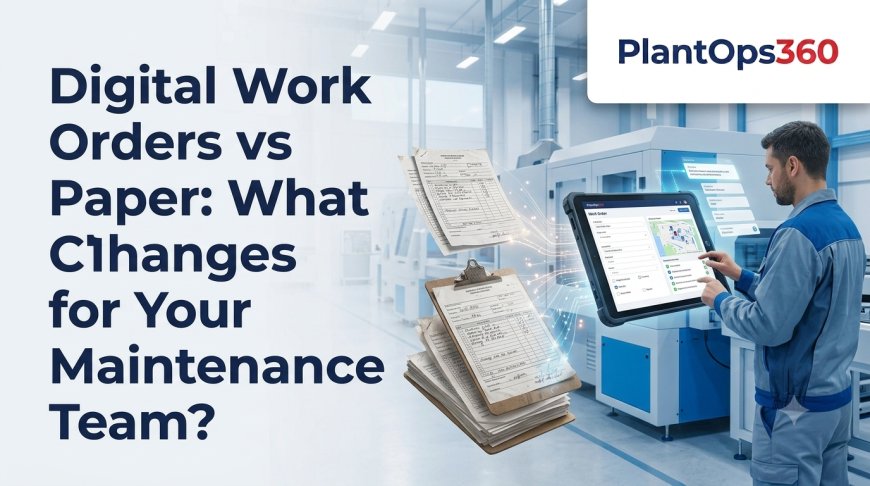
Moving from paper-based maintenance records to work order software changes much more than how a job is recorded. It improves how maintenance requests are assigned, tracked, updated, and completed across the plant.
Paper work orders can still work in very small teams, but they become harder to manage as assets, technicians, and maintenance requests increase. Digital work orders create better visibility and help teams respond faster without depending on manual follow-ups.
What Is a Digital Work Order?
A digital work order is an electronic record used to create, assign, track, and complete a maintenance task.
Instead of writing job details on paper, teams can enter the information into work order software and manage the entire task from one system.
A digital work order can include:
-
Asset or equipment details
-
Problem description
-
Priority level
-
Assigned technician
-
Required spare parts
-
Maintenance checklist
-
Job status
-
Completion notes
-
Photos or attachments
-
Time spent on the task
This creates a clear record of what happened from the moment the issue was reported until the job was closed.
How Do Paper Work Orders Usually Work?
Paper-based work orders depend heavily on manual communication.
A maintenance request may be written on a form, handed to a supervisor, assigned to a technician, and later returned after completion.
This process may work when the maintenance team is small and the number of requests is limited.
However, problems can appear when forms are misplaced, handwriting is unclear, updates are delayed, or supervisors do not know the current status of every job.
Digital Work Orders vs Paper: What Really Changes?
The biggest difference is visibility.
Maintenance Requests Become Easier to Track
With paper, teams may need to call or physically check with technicians to understand whether a task is pending, in progress, or completed.
With work order software, job status can be updated in one place. Supervisors can quickly see which jobs are open and which ones require attention.
Assignments Become More Organized
Paper work orders often require manual handovers.
A digital system allows supervisors to assign work directly to the right technician or team. The technician can then view the task along with the asset details and instructions.
This helps reduce unnecessary communication and confusion.
Maintenance History Becomes Searchable
Paper files can store historical information, but finding the right record can take time.
Digital systems can connect completed work orders with specific assets. Teams can review previous faults, repairs, parts used, and maintenance notes without searching through physical files.
How Does Work Order Software Improve Response Time?
Faster response starts with better communication.
When a maintenance request enters work order software, the information can move directly to the maintenance team instead of passing through several manual steps.
Supervisors can prioritize urgent work and assign technicians sooner.
Technicians also receive clearer information before reaching the machine. This can reduce time spent asking basic questions such as:
-
Which asset has the problem?
-
What exactly has been reported?
-
How urgent is the issue?
-
Has the same problem happened before?
-
Are any specific parts required?
Better information can make the maintenance process more efficient.
Does Going Digital Reduce Maintenance Errors?
Digital systems can reduce many common administrative mistakes, but software does not remove the need for good maintenance practices.
Standard checklists can help technicians follow the same process for repeated jobs.
Required fields can also make it harder to close a work order without entering important information.
For example, teams may require technicians to record:
-
Failure cause
-
Action taken
-
Parts replaced
-
Completion time
-
Machine condition after repair
This improves the quality of maintenance records and makes future analysis more useful.
What Happens to Corrective Maintenance?
Corrective maintenance deals with faults that need to be repaired after they are identified.
Digital work orders can make corrective maintenance easier to control because every reported problem can move through a defined workflow.
A typical flow may include:
-
A problem is reported.
-
A work order is created.
-
Priority is assigned.
-
A technician receives the job.
-
Repairs are completed.
-
Work details are recorded.
-
The task is reviewed and closed.
Using work order software makes each stage easier to monitor and document.
When Should a Plant Move Away from Paper Work Orders?
There is no single plant size that determines when digital work orders become necessary.
Instead, look for operational signs.
A move may be useful when:
-
Work orders are regularly lost
-
Maintenance requests are delayed
-
Supervisors cannot see job status
-
Technicians receive incomplete information
-
Repair history is difficult to find
-
The same equipment problems keep repeating
-
Management reporting takes too much time
-
Multiple shifts or locations are involved
These are usually signs that paper-based processes are becoming difficult to control.
What Should You Look for in Work Order Software?
The system should be practical for the people using it every day.
Useful capabilities include:
-
Simple work order creation
-
Priority and status tracking
-
Technician assignment
-
Mobile access
-
Asset history
-
Corrective maintenance workflows
-
Checklists
-
Photo attachments
-
Spare-parts recording
-
Reporting and analytics
The system should also be simple enough for technicians to update information while working on the plant floor.
Frequently Asked Questions
Can technicians update digital work orders from a mobile phone?
Yes. Many modern maintenance platforms support mobile access, allowing technicians to view tasks, update job status, add notes, and record completion details while working in the field.
Do digital work orders require an internet connection all the time?
It depends on the platform. Some systems may provide mobile or offline capabilities, while others need an active connection. This should be checked before implementation.
Can work order software handle emergency breakdown jobs?
Yes. Emergency jobs can usually be created with a high priority and assigned immediately so maintenance teams can respond quickly while maintaining a complete digital record.
How long should completed work orders be kept?
Retention depends on company policies, compliance requirements, and operational needs. Many manufacturers keep historical work orders because they help identify recurring failures and support maintenance planning.
Conclusion: Give Your Maintenance Team Better Visibility
Paper work orders may be simple, but they become harder to manage as maintenance activity grows. Digital systems provide clearer assignments, better tracking, searchable maintenance history, and stronger control over corrective work.
The biggest advantage is not simply removing paper. It is giving technicians and supervisors access to the same maintenance information in one place.
If your team wants to manage corrective maintenance with better visibility and control, explore PlantOps360 work order software to create, assign, track, and complete maintenance jobs more efficiently.
What's Your Reaction?