































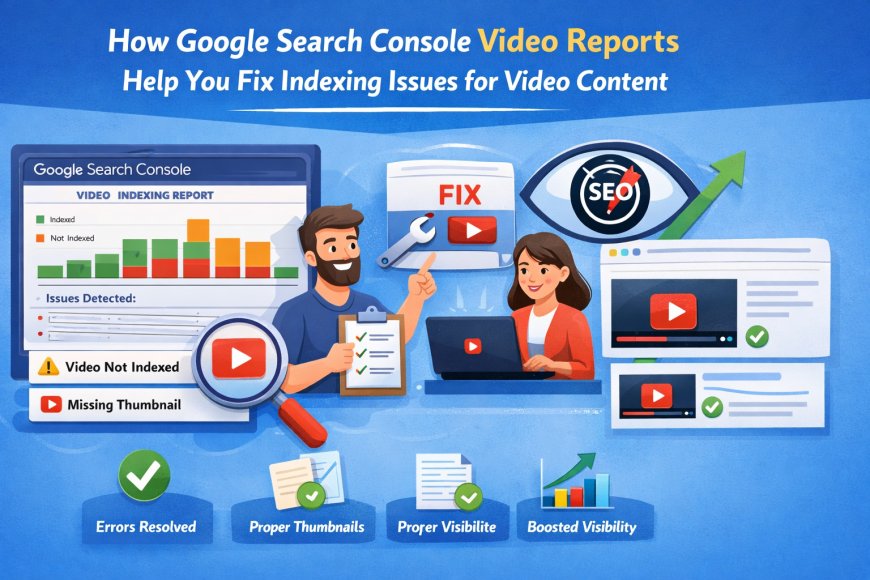
How Google Search Console Video Reports Help You Fix Indexing Issues for Video Content?
Videos are everywhere these days. Tutorials, product demos, webinars, interviews, you name it. They grab attention, keep people on your site longer, and honestly, they just look nicer than walls of text.
Videos are everywhere these days. Tutorials, product demos, webinars, interviews, you name it. They grab attention, keep people on your site longer, and honestly, they just look nicer than walls of text. But here’s the frustrating truth: uploading a video doesn’t automatically mean it will appear in Google search results. Many site owners find this out the hard way when their videos just… disappear. That’s where GSC in SEO can really help if you know what to look for. Video reports in Google Search Console give you a peek behind the curtain at how Google is actually processing your content, and spotting indexing issues early can save a lot of headaches.
The problem is, Google doesn’t “see” a video the way humans do. A video without proper metadata, a good sitemap, or structured markup might as well not exist from Google’s perspective. You could have a killer tutorial, but if the signals aren’t right, it won’t show up in search. Video reports take the guesswork out of figuring that out.
Why is indexing video trickier than normal pages?
Indexing a blog post or a product page is fairly straightforward: Google crawls it, reads the content, and decides how to rank it. Videos aren’t that simple. They rely on extra pieces to be understood:
-
Metadata like titles, descriptions, thumbnails, and durations.
-
Video sitemaps to guide Google to every video on your site.
-
Accessibility stuff like captions or transcripts, so Google knows what’s actually in the video.
Even if the page itself is indexed, the video might not be. That’s why separate video reports exist; they show whether Google is picking up the video content specifically, not just the page it sits on.
What does the video report actually show?
When you dive into Google Search Console’s video reports, you get a few really useful insights:
-
Which videos are indexed: You can see exactly which videos are discoverable in search results.
-
Errors and warnings: Missing metadata, unsupported formats, unreachable files; these all show up here.
-
Performance metrics: Impressions, clicks, and CTR for each video. This helps you understand which videos are actually getting attention.
Basically, it’s like having a report card for your videos that actually tells you what Google thinks of them.
Common issues that keep videos from being indexed
From experience, there are a handful of recurring problems that stop videos from showing up:
-
Missing structured data: Google needs info like thumbnailUrl, uploadDate, and description. Leave one out, and it might ignore your video.
-
Broken or outdated video sitemaps: If the sitemap has wrong URLs or old entries, Google can’t find your latest content.
-
Crawling problems: If a page is blocked, the video can’t be indexed. Using tools like Robot Framework Log to Console can help spot issues in your workflow.
-
Unsupported formats or tricky players: Some players or video codecs just don’t play nice with Google’s indexing.
Video reports make it obvious which of these is happening. Instead of guessing why your content isn’t showing up, you can see the problem and fix it.
Mobile friendliness is a big deal
Most people watch videos on mobile these days. If your page is slow or the video player doesn’t scale, Google may flag it as a poor experience. Running Mobile Friendly Test Google Search Console on video pages is a smart way to catch usability problems before they affect indexing or rankings. Videos that don’t work on mobile can have lower visibility, even if everything else is correct.
Fixing indexing issues step by step
Once the video report shows an issue, fixing it usually follows a few key steps:
-
Check structured data: Make sure all the required fields are filled in and formatted correctly.
-
Update your video sitemap: Include all current videos with accurate titles, descriptions, and durations.
-
Confirm crawl access: Ensure pages aren’t blocked, and Google can reach the video files.
-
Adjust video formats if needed: Make sure players and codecs are supported.
Doing these fixes regularly prevents old issues from creeping back in and keeps new content indexing properly.
Performance tracking matters too
Video reports aren’t just for fixing problems; they also help you understand what’s working. You can see which videos get clicks and impressions, then optimize titles, thumbnails, and descriptions to improve engagement.
And don’t forget links. Checking Search Console Backlinks alongside video reports shows which pages are driving traffic to your videos. A video might be perfect technically, but if no one links to the page or embeds it, it won’t reach its full potential.
Integrating video indexing into your SEO workflow
Video reports are powerful on their own, but they’re even more useful when combined with other Google Search Console data:
-
Keep an eye on overall page indexing using Google Search Console Indexing reports.
-
Use keyword data to optimize video titles and descriptions so they appear in relevant searches.
-
Make sure your videos are properly linked from other pages to help Google discover them faster.
Treat video indexing as an ongoing process. New uploads, site redesigns, or CMS changes can all introduce new issues, so regular monitoring is key.
When to get help?
Sometimes you’ll fix everything you can, and a video still isn’t indexed. That’s when reaching out to Contact Google Search Console Support makes sense. Google can clarify if your content is eligible for rich results or explain why indexing is being delayed.
Long-term tips for video SEO
-
Consistent structured data: Use the same format across all videos to avoid errors.
-
Mobile-first design: Make sure your videos work well on phones and tablets.
-
Keep sitemaps current: Add new videos promptly and remove outdated ones.
-
Monitor indexing regularly: Don’t just set it and forget it; watch for issues over time.
-
Engagement tracking: Measure CTR, watch time, and completion rates to see what resonates.
Following these tips keeps your videos discoverable, your site healthy, and Google happy.
Wrapping it up
Video content is powerful, but it has its own quirks. Google Search Console video reports give you the transparency you need to understand why some videos index and others don’t. From structured data issues to mobile usability, crawl problems, and metadata mistakes, these reports highlight actionable insights that other tools often miss.
For anyone using GSC in SEO, this is a game-changer. It’s not just about fixing errors; it’s about making sure your videos actually get seen, clicked, and valued by both Google and your audience. Combine video reports with mobile tests, backlink analysis, and indexing monitoring, and you turn video content from a “nice addition” into a fully integrated SEO asset.
Take the time to watch these reports regularly. Your videos are too valuable to sit hidden, and a little effort in monitoring and fixing indexing issues goes a long way toward keeping your content visible and effective in search.
What's Your Reaction?