






























BigCommerce Multi-Storefront: Running Multiple Brands and Regions From One Account
Learn how BigCommerce Multi-Storefront lets you run multiple brands, regions and currencies from one account, and when it is worth the added complexity.
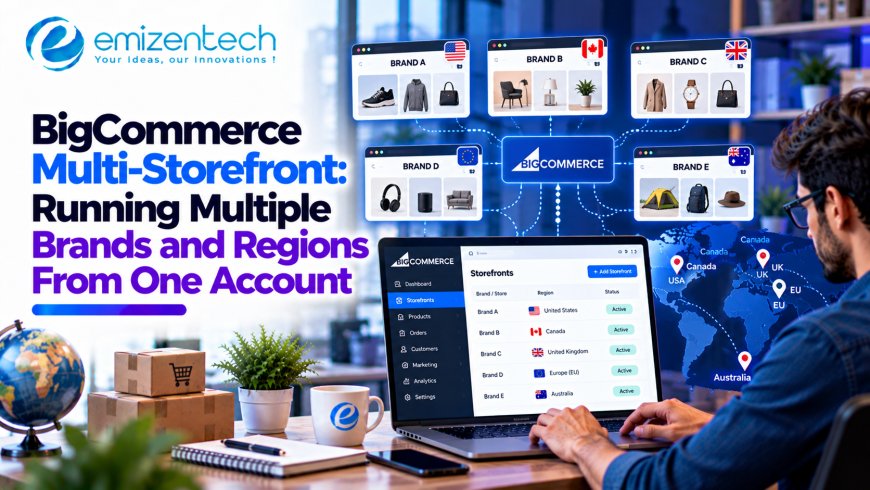
Growth tends to create duplicates. A second brand needs its own store. A new country needs its own currency and domain. A wholesale arm needs different prices. Before long, a business is paying for four platforms, updating the same product in four places and reconciling four sets of reports.
Multi-storefront is built to break that pattern. The idea is simple: one back end, several customer-facing stores. The decisions behind it are less simple, so this guide walks through real-world setups, common beliefs that turn out to be wrong, and a realistic rollout plan.
The Case for One Account, Many Storefronts
With a multi-storefront setup, you manage the business in a single BigCommerce account and publish to several storefronts, each with its own domain, design and audience. Behind the scenes, much of the heavy lifting stays shared.
The benefits tend to show up in the same places:
- One catalog to maintain. Products are created once and assigned to the storefronts that should sell them
- Consistent operations. Orders, customers and reporting sit in one place instead of being stitched together
- Brand and regional flexibility. Each storefront can look, price and speak differently
- Faster launches. Adding a new store is closer to configuring a channel than building a new business from scratch
Note that availability and the number of storefronts depend on your BigCommerce plan, so confirm current limits before you design around them.
Three Businesses, Three Setups
The same feature serves very different needs. These three scenarios show how.
The multi-brand retailer. A company owns a premium brand and a value brand that sell overlapping products. Each brand needs its own look, tone and domain, but both draw on the same warehouse stock. One account lets them share inventory data while keeping the customer experience completely separate.
The international seller. A US brand wants a UK and an EU store. Each needs local currency, localized content and region-specific pricing and shipping rules. Rather than clone the store three times, the team manages one catalog and tailors what each region sees.
The B2B and B2C hybrid. A manufacturer sells to consumers online and to trade customers who expect negotiated pricing, bulk ordering and a different checkout. A separate storefront for each audience keeps the retail experience clean and gives wholesale buyers the tools they need.
In all three cases, the common thread is a shared core with distinct fronts. If your situation doesn't look like any of these, that's a useful signal in itself.
Getting the Architecture Right From the Start
The hardest part of multi-storefront isn't switching it on. It's deciding what is shared and what is separate, because those choices are expensive to reverse once products and customers are live. This is where an experienced BigCommerce development company earns its keep, since the planning work (catalog structure, pricing model, theme strategy and integrations) shapes everything that follows.
Questions to settle before building:
- Will all storefronts share one catalog, or will some products be exclusive?
- Do prices differ by storefront, region or customer group?
- Will each storefront use its own theme, or a shared base with variations?
- Do you need separate checkout experiences or payment methods per store?
- Which systems, such as ERP, PIM or CRM, must serve every storefront?
- Who manages content for each store, and who approves changes?
Teams that answer these early avoid the most common regret: realizing six months in that the structure doesn't fit how the business actually runs.
Myth vs. Reality
A few assumptions cause trouble. Here is what tends to be true instead.
Myth: Each storefront is a completely separate store.
Reality: They share one account and, by default, much of the underlying data. That's the point, and it also means a mistake in shared data can affect several stores at once.
Myth: Every storefront must look the same.
Reality: Storefronts can have different themes, layouts and content. Many businesses use a shared base design and adjust it per brand or region.
Myth: Multi-storefront automatically handles translation.
Reality: Selling in another language still means producing translated content, localized product copy and region-appropriate messaging. The platform provides structure, not translation.
Myth: Launching a new store is instant.
Reality: The technical channel setup may be quick, but design, content, tax, shipping, payments and testing still take real time.
Myth: One account means one set of rules.
Reality: Pricing, currencies and product availability can be tuned per storefront, which is why planning matters.
Multi-Storefront Is Part of a Bigger Channel Strategy
Many businesses adopt multi-storefront as a step toward selling consistently across touchpoints: websites, marketplaces, social channels, wholesale portals and sometimes physical stores. A clear plan for how those channels connect helps you decide which should be separate storefronts and which should be handled another way. This overview of omnichannel ecommerce explains how to deliver a consistent experience across channels, which is a helpful lens when mapping your storefronts to your customer journeys.
A few planning rules help here:
- Give each storefront a clear audience and purpose
- Keep product data, pricing logic and inventory in one trusted place
- Make sure customer service can see orders from every channel
- Report on each storefront separately and on the business as a whole
When It Isn't Worth It
Multi-storefront is powerful, but it isn't automatically the right answer. It may be more than you need if:
- You sell one brand to one market with one price list
- Your "second store" is really just a landing page or a collection
- You don't have the team to manage content and operations for several fronts
- The only difference between stores is a language toggle you could handle another way
It's also worth stepping back and asking whether your platform choice supports where the business is heading. This guide to the SaaS ecommerce platform landscape explains the trade-offs between hosted platforms, which can help you judge whether a multi-storefront approach on a SaaS foundation fits your scale and control needs.
A simple test: if a second storefront would mean a different brand, region, currency or audience, it's likely worth exploring. If it would mean copying the first store with minor changes, probably not.
A Rollout Roadmap
Rolling out in phases lowers risk and gives you real data before you scale.
First week: Decide and design
- Map brands, regions and audiences to storefronts
- Define what's shared and what's separate
- Document currencies, taxes, shipping zones and payment needs
First month: Build the foundation
- Structure the shared catalog and storefront assignments
- Set up pricing, customer groups and any region-specific rules
- Build or adapt themes for the first additional storefront
- Connect core integrations and test them end to end
First quarter: Launch and learn
- Launch the first additional storefront before adding more
- Track conversion, order accuracy and support issues by storefront
- Refine content, pricing and navigation based on real behavior
- Add the next storefront using the process you've already proven
Launching one extra storefront well is better than launching four half-ready ones.
Conclusion
BigCommerce Multi-Storefront lets one account power several brands, regions or audiences without multiplying your operational workload. The value comes from deciding early what is shared and what is separate, keeping each storefront tied to a clear purpose and rolling out in stages. Done well, you get local relevance on the front and one consistent system behind it.
If you're considering a multi-brand or multi-region setup, EmizenTech works with US brands on BigCommerce builds and expansions, and the 14-day money-back window gives you room to confirm the fit before you commit further.
What's Your Reaction?